Arc, from concept to ... something
In April, my wife and I drove across Europe, from Portugal to Amsterdam. We’re both tired of airplanes and decided to go old school. On the way back, going from Paris to Bergerac, where we would spend the night, the road took us through some beautiful countryside scenes: wide, beautiful fields, then winding roads through dense forest, with a chateau here and there.
Somewhere along those roads we started talking about how much our lives had changed since we met. Every year brought so many new adventures, and we agreed we needed to start taking note of them. The trips, the places we’d seen around the world, and the big dates: finishing a PhD, getting married, our first house.
It would be pretty cool, we thought, to have all of it somewhere we could actually see. Which stretches of our life were dense with excitement and events, which were sparse, and what shaped them. How significant each moment was. Something to glance at when we felt nostalgic, and when we wanted to see how much we’d achieved so far.
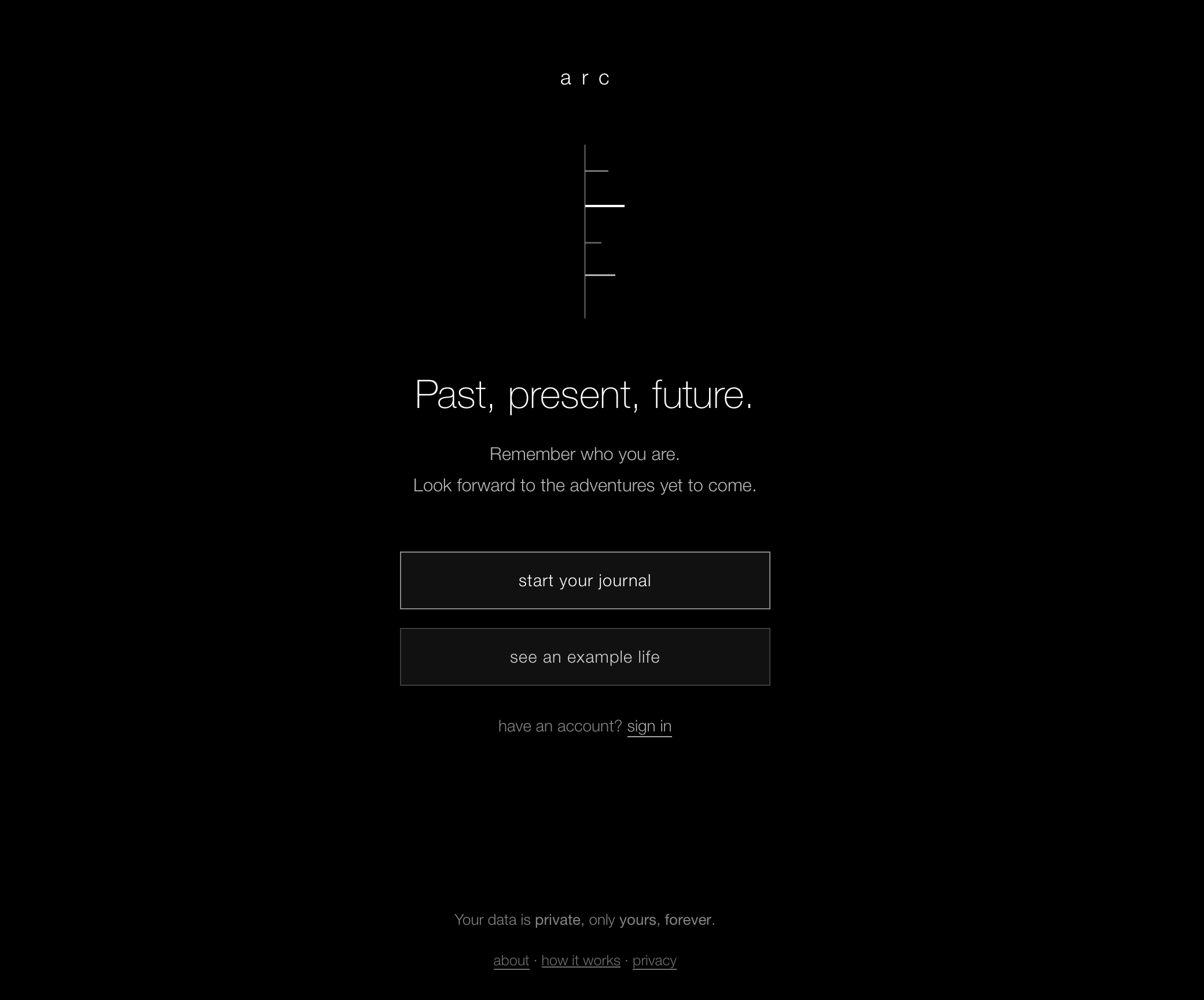
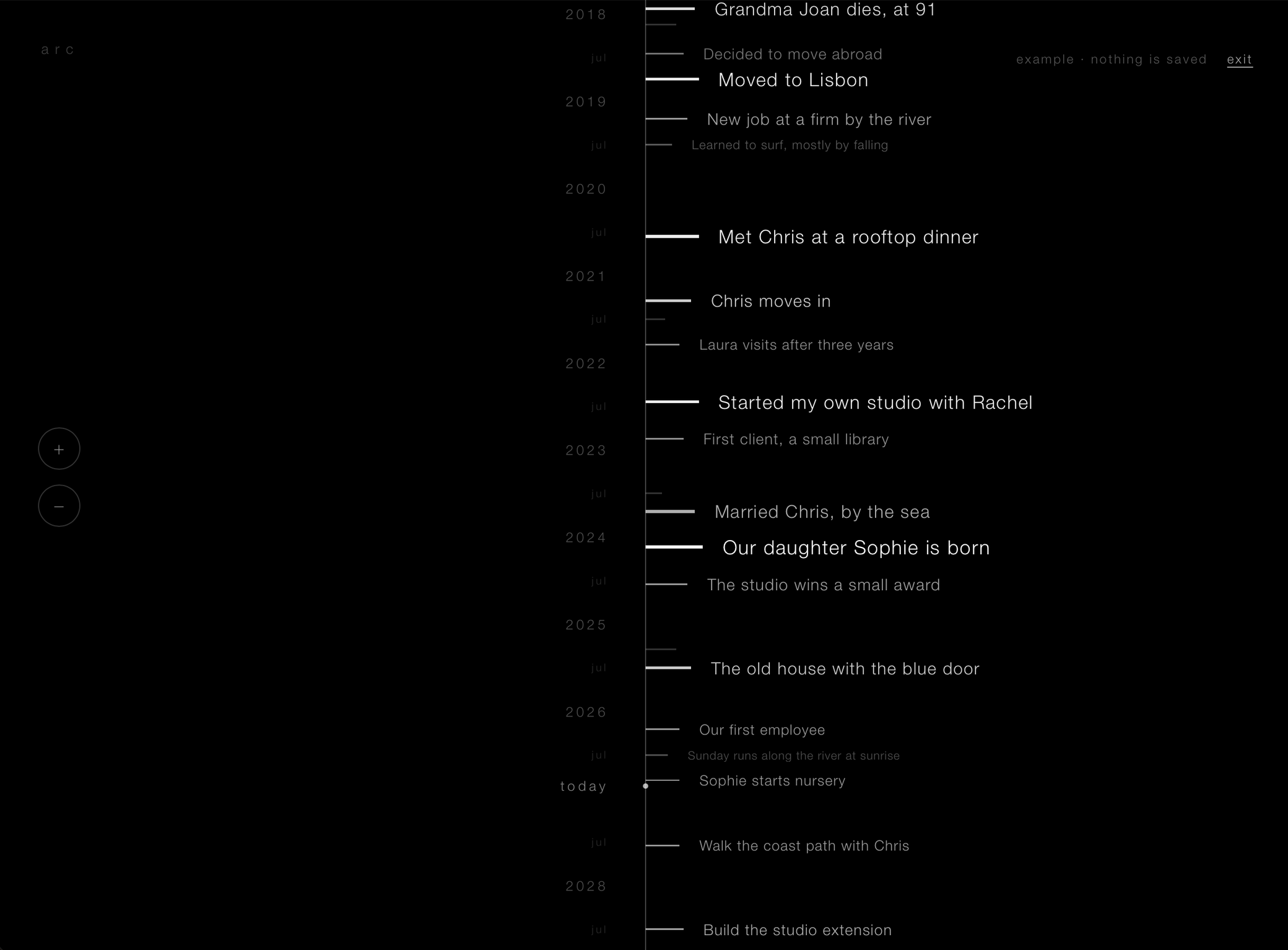
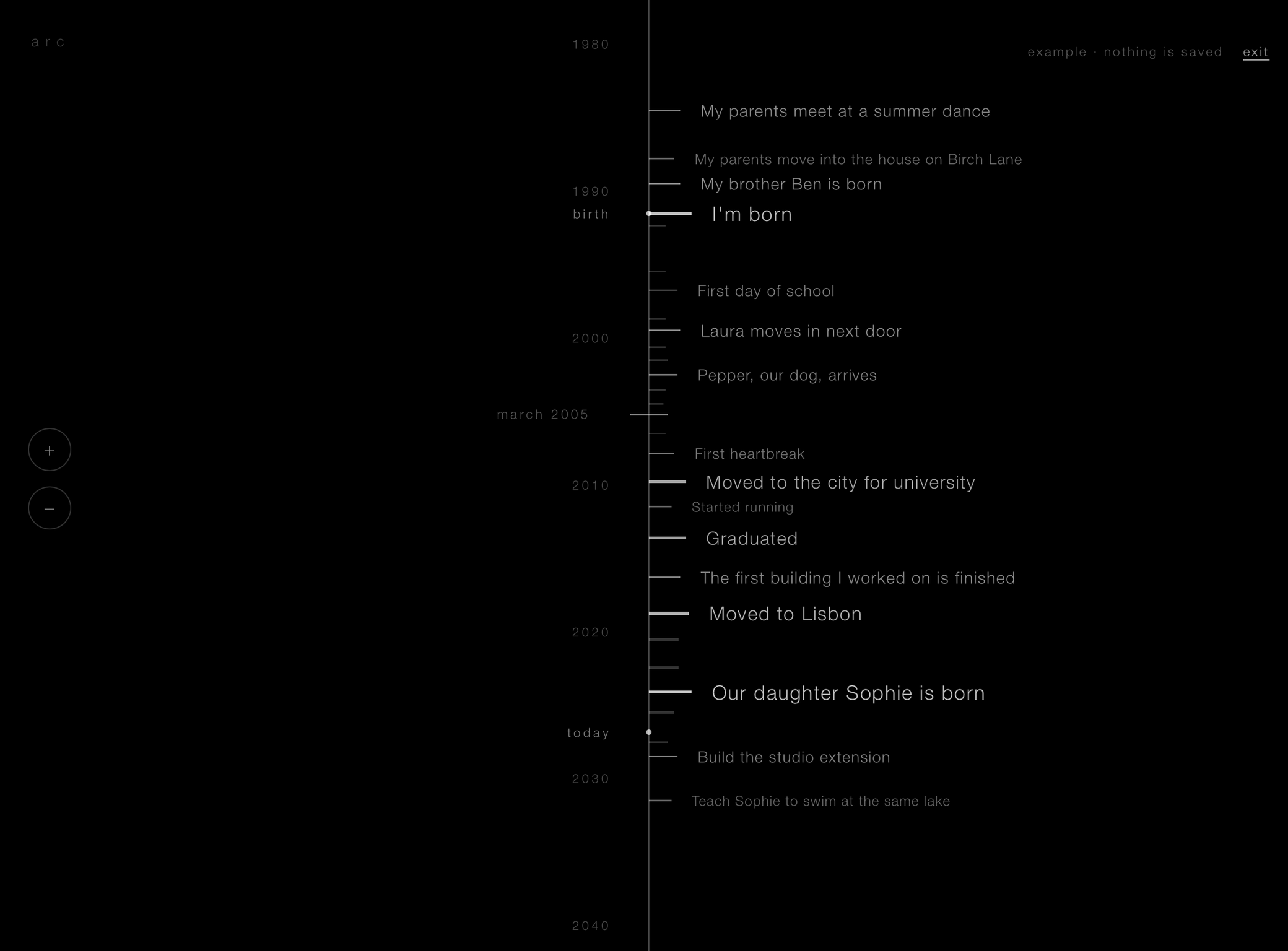
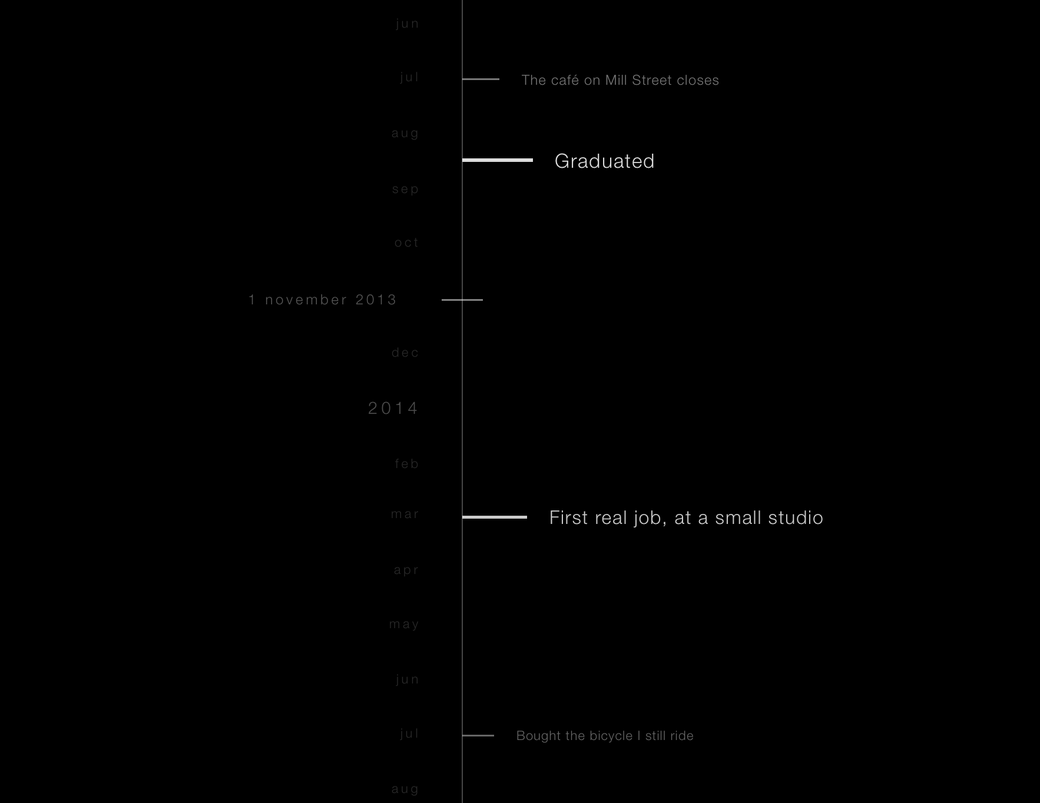
That conversation became Arc. The picture in my head was simple but quite vivid at the time: a black screen with a single vertical line down the middle. The line is a life. Every event that mattered sits on it as a small dash and a title, and the more it mattered, the whiter the entry. Zoom out and the small things fade, leaving the big ones. Zoom in and they come back.
I also wanted it to ask for nothing. No personal information, no ads, no paywalls, no data mining, nothing we write is used to train anything. Something genuine, basic, safe, that works offline, keeps what we put in it secure and is healthy to come back to.
From an idea to a design
A few months after we came back (around June) I took some time to write the whole idea down in one long description and started designing. It changed a lot on the way.
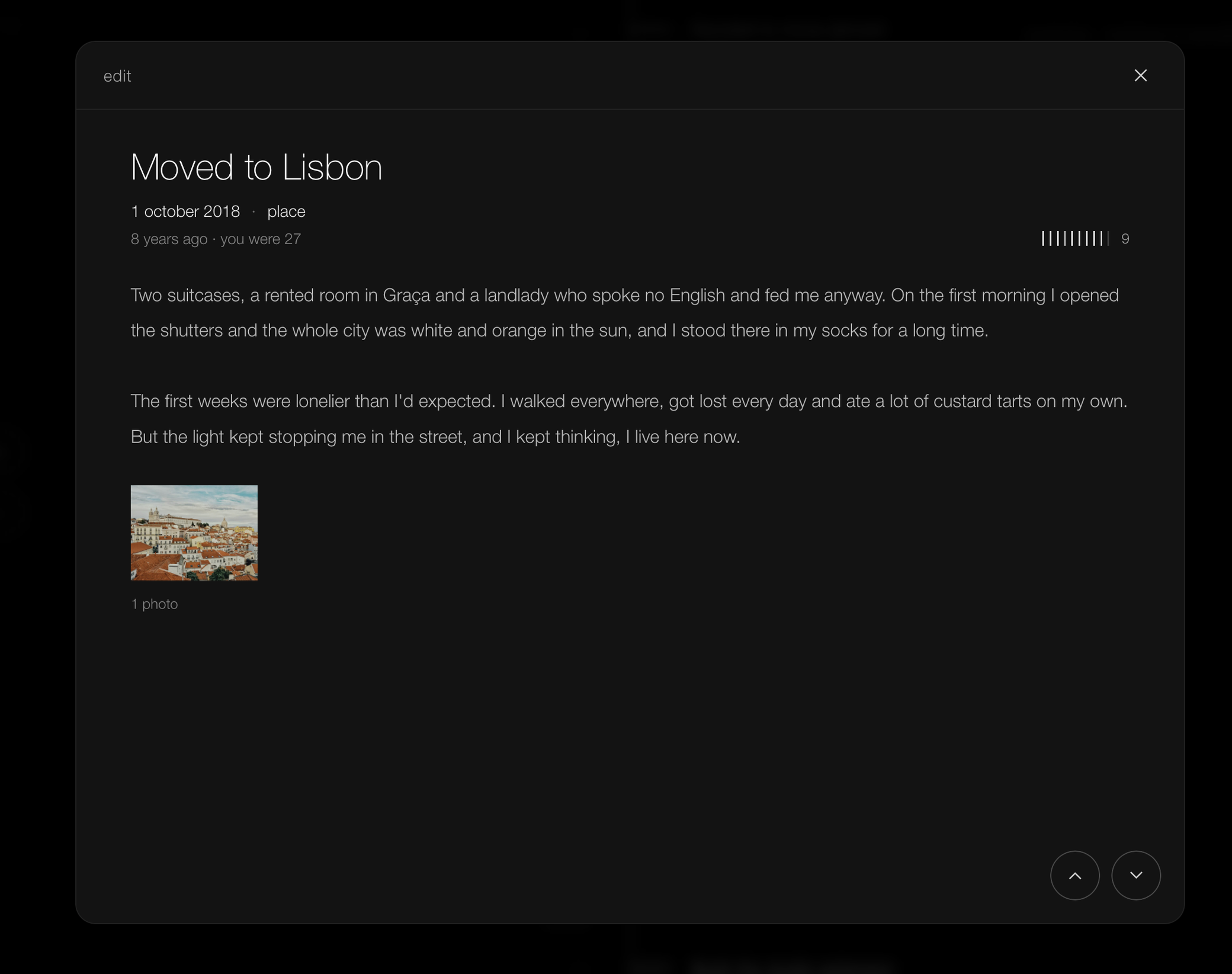
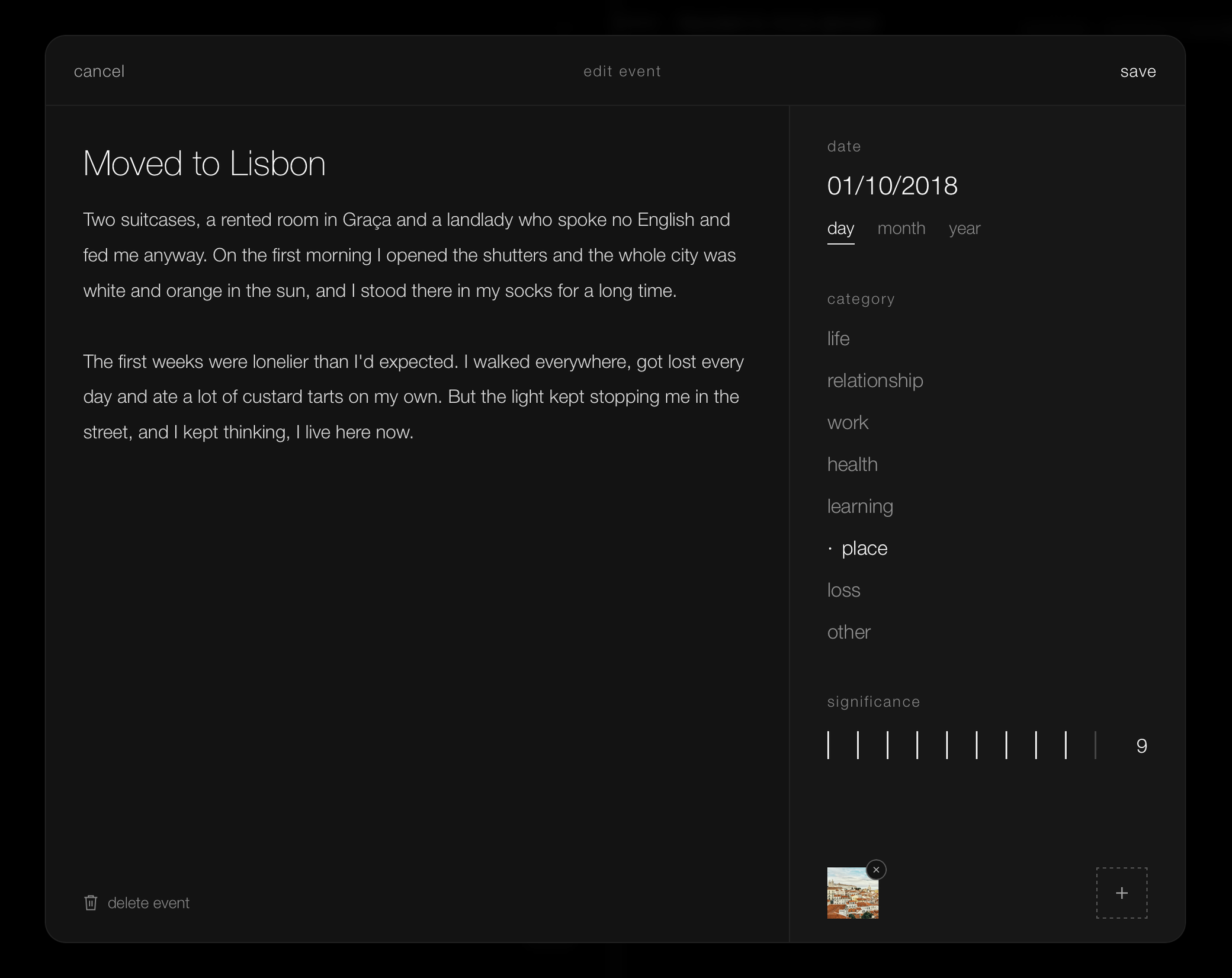
Events needed more than a date. They got a category, like “life”, “relationship”, “work” or even “loss”, and a significance from 1 to 10, for how impactful the event was in my life. Dates quickly moved from an actual date to also being just a month or even a year.
When I started to see how it felt, I quickly felt underwhelmed: adding my first 2-3 events didn’t give me that “timeline” feel I was looking for. It got me thinking about how I could show someone using it for the first time how good it will be once they have enough events?
That was solved by adding an “example life”. A timeline for a made-up 35 year old, to show what Arc can be when you fill it with memories. Some other decisions led me to allow Arc to work without an account so even logging in is optional, since everything lives in browser storage. Once I was happy I dived deep into a full mobile redesign, and after that, a second pass on the desktop one.
I kept a few rules the whole way. Black and white, with photos as the only colour. Minimalistic, intimate and simple. No frills.
Building it
I started the real build as I do with most projects: a markdown file in Obsidian.
The app is TypeScript, Vite and Preact.
The first decision was where the journal lives. It lives on the device, in the browser’s own database, IndexedDB, and the app works without a server at all. Nothing waits on the network, so it’s fast. It works offline, and it keeps working if Arc’s server goes away.
That kept the server small. It runs on Cloudflare: Pages serves the app, a Worker handles sign in and sync, D1 holds accounts and R2 holds the encrypted data, all in the EU. It stores records it can’t read. Less code there means less to break and less to attack.
Sync works one event at a time. Each event is its own encrypted record, so two devices editing different events never clash, and when they edit the same one, the latest edit wins. It syncs after every change, when you come back to the app, when the network returns, and once a minute in between.
Photos stay at full resolution for everyone. I wasn’t going to shrink people’s photos to sell an upgrade.
Then I started using it, and it pushed back. Photos straight from an iPhone, some around 25MB, took too long, so now the device resizes them to 3840px on the long edge first. The rules for which titles appear on the line felt arbitrary. I replaced them with one rule about space: the most significant titles go on first, until the line is full, and zooming in never hides a title that was already there. Zoom itself became smooth instead of jumping between steps.
Privacy
Total. End-to-end encryption all the way.
Nothing gets sent anywhere unless someone wants to use online sync. By default, nothing leaves any device.
If using online sync, every event, photo and the profile itself is encrypted on the device before it reaches IndexedDB or the network, so even the local copy is ciphertext.
When a journal starts, the device generates a random master key. Separate keys for events, images and the profile are derived from it, and each record is sealed with AES-GCM and bound to its own ID, so a ciphertext can’t be moved onto another record.
The master key is never stored in the clear. It’s wrapped twice:
password      -> Argon2id -> HKDF -> KEK_pw + auth_pw
recovery code -> Argon2id -> HKDF -> KEK_rc + auth_rc

master key -> wrapped with KEK_pw -> wrapped_pw
master key -> wrapped with KEK_rc -> wrapped_rc
Argon2id makes brute-forcing the password expensive. The recovery code is 120 random bits, shown once at sign up. The server gets the email, the salts, both wrapped keys and the two auth values, which it stores only as SHA-256 hashes. It never sees the password, the recovery code, the master key or either KEK. An unknown email still gets a salt back, fake but consistent, so the login endpoint can’t be used to check who has an account.
Splitting it this way pays off everywhere else:
- Signing in sends the auth value, the server checks it against its hash and returns the wrapped key, and the device unwraps the master key locally.
- Changing the password rewraps the master key under a new KEK and issues a new recovery code, without re-encrypting a single event.
- Staying signed in relies on a non-extractable WebCrypto device key that seals a session copy of the master key, and logging out deletes both, leaving only ciphertext and wrapped keys behind.
The intentional downside: Lose the password and the recovery code, and the journal can’t be recovered.
I’ve kept what I can see to the bare minimum, in order to manage user accounts. I can see the email, the plan, and that the account exists, a hashed sign-in token, and how much space the encrypted journal takes up with Arc Sync. There is no tracking. Guests are counted with a single anonymous +1 when they create their first event, with no ID and no fingerprint. The only stats I have access to are daily aggregate counts of how many users there are.
Using Arc on the web means trusting the code behind it to be safe and my intentions to be true. I’ve considered making it open source, but for now opted not to.
I find that it’s quite simple to check the network tab on any browser to understand that there is no traffic: it works fully offline, nothing is sent anywhere unless the user decides to sync.
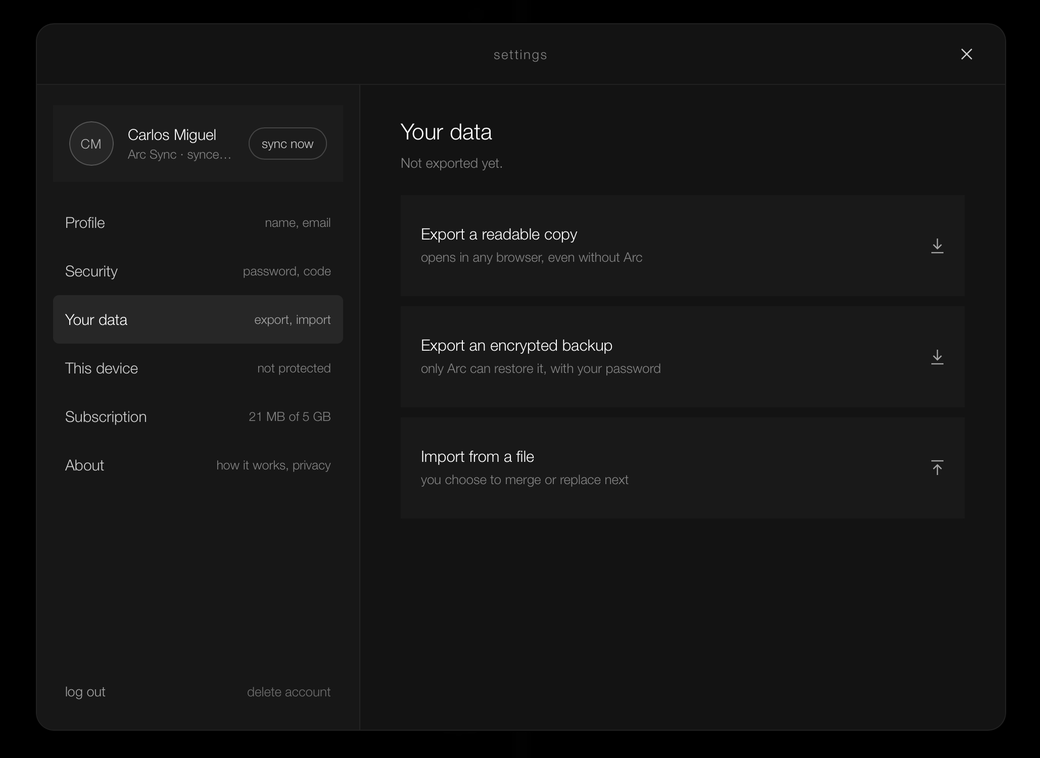
There are no paywalls on the journal, no ransoms on the data. Everything works for free, on the device. All data can be exported and imported back. The file format is HTML for the plain non encrypted backups.
I’ve added one paid option which I’ve called Arc Sync. 12€ a year, which pays for storage. Syncing and storing encrypted data costs money and I’ve just rounded that to 1€ a month.
The road, so far
The boring (important too) stuff is all out of the way: DNS, email routing and DMARC on Cloudflare. A GitHub Actions pipeline that deploys every push to main to staging, with production gated behind version tags. A small admin tool, and a daily email at 6pm with just a count of new users, if any.
Staging is up at staging.yourarc.eu. Production is next.
On the iPhone
Recently I’ve decided to take some time to also build native iOS and Android apps for Arc. I started with iOS, written in SwiftUI for iPhone and iPad from iOS 18. It uses the same encryption as the web app, so a journal opens on either.
The phone changes a few things. The journal lives in SQLite, encrypted, where iOS won’t clear it the way a browser might. The master key sits in the Keychain, on that device only, behind Face ID, Touch ID or the passcode, so reopening Arc takes a glance. The password only comes back after logging out or on a new device.
My first version was a pixel copy of the web app. It worked, and it felt wrong. Screens faded instead of sliding, sheets didn’t follow my finger, and the controls looked like a website. So I kept the look and moved to native navigation and controls, with event forms and settings full screen.
v1 is done, and I’m working through the small things. It’s still the black screen with one line that I pictured in that car.